Why PDF translation is usually a layout project as much as a language project
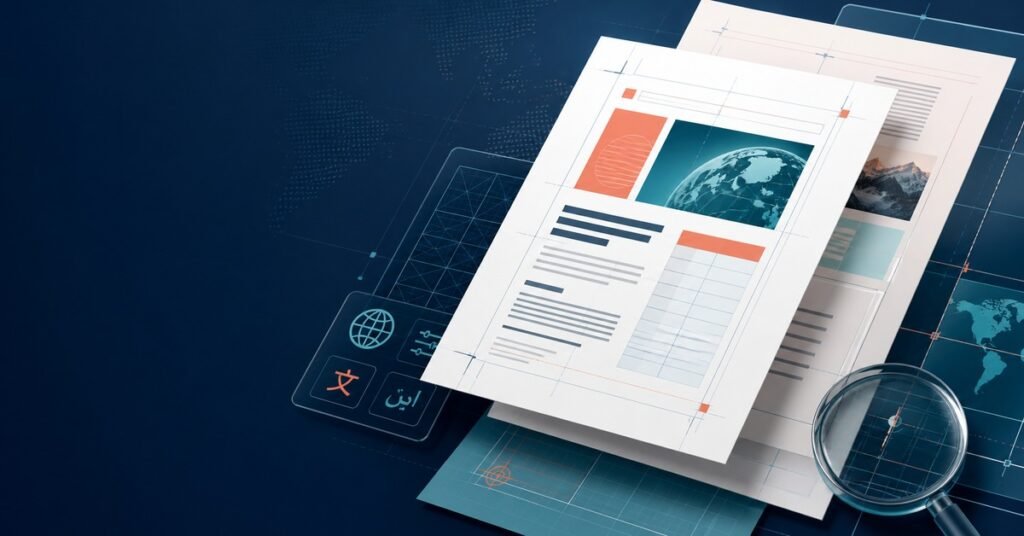
PDF translation and DTP become difficult when buyers assume the source file is already production ready and only the words need to change. In practice, many PDFs are the final export of a much larger design process. The source may contain flattened text, missing fonts, embedded charts, complex tables, callout boxes, layered diagrams, and page geometry that only worked because the original language fit perfectly. Once the content is translated, those hidden constraints reappear immediately.
That is why a multilingual PDF project should be planned as both a translation workflow and a layout-control workflow. The translated text has to remain accurate, but it also has to fit headlines, sidebars, captions, tables, labels, figure notes, forms, and regulatory footers without making the document look broken. A buyer who manages only terminology and deadline will often discover the real risk at the proofing stage, when text overruns, graphic collisions, missing fonts, or unreadable tables are already expensive to fix.
For documentation, product sheets, manuals, brochures, and compliance material, the practical goal is not just to deliver a translated PDF. The goal is to deliver a PDF that still feels intentionally designed in every target language. That requires early decisions about source files, editability, font coverage, text expansion, recreation rules, QA checkpoints, and who owns final release approval.
Start by classifying the source PDF before you discuss turnaround
Not every PDF should be handled the same way. Some files are exported from InDesign, Illustrator, Word, PowerPoint, or a structured CMS and can be reopened cleanly. Others are semi-editable, with mixed vector text, outlined headings, screenshots, or copied diagrams. The highest-risk files are effectively visual surfaces: scanned manuals, flattened catalogs, image-based tables, or graphics-heavy marketing PDFs with very little reusable structure.
The first buyer question should therefore be simple: what is the real source of truth behind this PDF? If editable files exist, the project plan should be based on those files, not on the exported PDF alone. If editable files do not exist, the team needs to decide early whether the document will be reconstructed, partially recreated, or translated directly in a PDF editing workflow with layout limitations clearly documented.
This classification changes cost, schedule, and QA. It is closely related to the quoting issues described in our guide to technical translation cost drivers because the real workload often comes from page structure, not only from word count. A ten-page brochure with dense design elements can take longer to finish safely than a much longer text-heavy manual.
Recover editable structure early or plan controlled recreation
When the source team can provide packaged design files, linked graphics, and the correct fonts, the DTP process becomes more predictable. Text can reflow inside the intended frames, paragraph styles can be preserved, and language-specific adjustments can be made without rebuilding every page. That does not eliminate QA work, but it prevents avoidable layout damage.
If editable files are missing, the project should not pretend the risk is unchanged. In that case, a controlled recreation plan is usually safer than ad hoc patching. Decide which elements will be rebuilt as editable text, which labels inside diagrams will be replaced manually, which screenshots need re-capture, and whether tables or forms need a cleaner template before translation begins. Without this decision, teams waste time translating text that later has nowhere usable to go.
Buyers should also ask for a page-level complexity review before full production. A vendor can usually identify which pages are low risk, which pages will expand heavily, and which graphics may require desktop publishing support rather than translation alone. That review creates a more honest schedule and reduces surprise change requests later.
Fonts, expansion, and line breaks should be planned by language
Text expansion is the most visible reason multilingual PDFs break, but expansion is not uniform. Spanish often expands in headings and instructions. German is famous for long compounds, yet Japanese and Chinese can also create layout pressure in different ways through vertical density, punctuation rhythm, or character balance. Korean may fit a box by count but still feel cramped because the line breaks are awkward. Arabic, Thai, and other scripts introduce their own shaping and font requirements even when the buyer originally scoped only European languages.
This is why PDF translation and DTP should include a font and style review before translation is finalized. The team needs to know whether the original fonts support every target script, whether fallback fonts will alter line height, whether bold and italic styles exist in all families, and whether numeric columns or table cells will remain readable after reflow. If a font license or glyph set is missing, the problem should be resolved before the translated pages are approved.
Heading strategy matters as well. Some PDFs rely on visually tight headline boxes that only work in English. For multilingual output, headings may need alternate line breaks, shorter approved terminology, or a secondary layout version for smaller spaces. This does not mean reducing quality. It means designing for the translated document instead of forcing every language to behave like the source.
Tables, diagrams, forms, and screenshots are where projects usually break first
Running text is rarely the only challenge in a PDF. The most fragile elements are usually structured components: specification tables, process diagrams, comparison charts, product labels, callout arrows, warranty blocks, forms, and embedded screenshots. These assets often have the least spare space and the highest consequence if something shifts.
Tables need more than literal translation. Column widths, decimal alignment, wrapping rules, header hierarchy, and unit labels all affect readability. A table that remains technically complete but forces seven lines into a narrow cell is not production ready. Diagrams require similar discipline. Labels must still point to the correct component, arrows must not drift, and text should remain legible after export. Forms bring another layer of risk because field names, instructions, and signature areas often need legal or operational precision.
Screenshots are an especially common blind spot. If the PDF shows software UI, training steps, or user portals, translated captions may conflict with English screenshots unless the images are re-captured or clearly marked as reference-only. That distinction should be made before layout starts. Otherwise the final file can look inconsistent even when the translation itself is correct.
Our earlier post on DTP for translated documents explains why these presentation issues affect trust. In PDF work, that trust problem is amplified because the document is often the exact file a buyer sends to customers, regulators, partners, or field teams.
Build a buyer-ready workflow that joins language QA and layout QA
A PDF should never be approved on language review alone. The strongest workflow uses at least three checkpoints. First, translation and terminology review confirm meaning, audience fit, and required terminology. Second, DTP production adjusts layout, fonts, alignment, and graphic placement in the editable file. Third, a final visual QA pass compares the output PDF against the source and against the approved translation to catch overflow, clipping, style drift, wrong page breaks, and broken links.
That final QA should be page-aware, not just sentence-aware. Reviewers should check widows and orphans, missing bullets, inconsistent spacing, table compression, header hierarchy, figure captions, footnotes, page numbering, TOC links, and whether images were exported at acceptable quality. If the document is meant for print, bleed, crop, color, and print-safe asset handling may need review as well.
For multilingual programs, it also helps to define severity levels in advance. Some issues are cosmetic and can be accepted within tolerance. Others should block release immediately, such as hidden text, wrong figure labels, clipped warnings, broken form fields, or pages where the translation has dropped out of the visual reading order. A vendor should know that release standard before the last day of the project.
Ask for a handoff package, not just a final PDF
One of the clearest differences between a safe vendor workflow and a fragile one is the quality of the handoff package. Buyers should expect more than a translated export. A good package includes the final PDF, editable source files where contractually allowed, packaged fonts or font notes, a change log for recreated elements, terminology decisions, unresolved constraints, and instructions for future revision cycles.
This matters because PDF projects rarely end with one release. Sales brochures get updated, product manuals gain new pages, compliance statements change, and training documents are revised across quarters. If the buyer receives only a flattened PDF, the next update starts from scratch. If the buyer receives an organized package, later updates become faster, cheaper, and less risky.
The same operational logic appears in our post on translation vs MTPE: the right workflow depends on risk, content type, and downstream usage. PDF translation with DTP usually sits on the higher-risk side because formatting failure is visible immediately to the end reader.
Practical questions buyers should settle before production begins
Before a vendor translates the first page, the buyer should be able to answer a few operational questions:
- Are editable source files available, and if so, which files are the release master?
- Which target languages and scripts must the chosen fonts support?
- Which pages contain diagrams, forms, or screenshots that may need recreation?
- Is the output for print, web download, internal training, or regulatory submission?
- Which issues are release blockers, and who signs off on the final visual QA?
- Will future updates require the vendor to return editable packaged files?
These questions are not administrative overhead. They are the controls that stop a PDF project from turning into a late-stage rescue effort. Once the buyer answers them, the translation team, DTP team, and reviewers can work against the same release logic instead of discovering hidden assumptions page by page.
How Smart Language Service helps with multilingual PDF translation and DTP
Smart Language Service supports PDF translation and DTP for manuals, brochures, technical documentation, training material, and multilingual business documents that need both language accuracy and release-ready presentation. We help teams assess source editability, prepare the right workflow for complex layouts, manage translation and DTP together, and verify that the final PDF still looks intentional in every target language.
The core principle is straightforward: in PDF work, language quality and layout quality are inseparable. If a translated sentence is accurate but breaks the design, the file is not ready. If the page looks polished but the terminology, instructions, or labels are wrong, the file is still not ready. Reliable delivery comes from controlling both at the same time.