Why DTP for translated documents is more than final formatting cleanup
DTP for translated documents is often treated as the last production step after the real work is done. Buyers approve translation, export a PDF, and assume someone can quickly resize a few text boxes before delivery. In practice, layout quality changes how readers judge the credibility of the entire document. A translated manual, brochure, product sheet, or compliance file can be linguistically correct and still look risky if headings break badly, tables overflow, fonts fail, or visual hierarchy collapses.
That matters because readers do not separate language quality from document quality. When a translated file looks crowded, misaligned, or inconsistent, users assume the underlying content may be unreliable too. For regulated documents, training materials, investor communication, and customer-facing collateral, layout defects can weaken comprehension and trust at the exact moment the content is supposed to reassure the audience.
Broken layouts usually start before translation is even finished
Many DTP problems are created upstream. Teams send flattened PDFs instead of editable source files, ignore text expansion, or use fonts that do not support the target character set. By the time the translated content reaches production, the layout team is forced into reactive repair work. That usually means manual line-by-line fixes, inconsistent spacing, and more rounds of review than the budget expected.
A stronger workflow plans DTP for translated documents while the translation scope is still being defined. Buyers should confirm which file formats are available, which pages contain layered graphics, whether tables will expand, and whether any pages include embedded text that must be recreated. This planning step is similar to translation vs MTPE decisions: production quality improves when constraints are clear before volume starts.
Editable source files and font planning reduce expensive rework
The cheapest DTP fix is usually the one prevented by proper source preparation. If the team has InDesign, PowerPoint, Illustrator, Word, or other editable files, layout adaptation is faster and more consistent than rebuilding from PDF fragments. When only final PDFs are available, every language change becomes harder because text boxes, tables, and callouts may need manual recreation instead of controlled updating.
Font planning is equally important. Translated documents often need Chinese, Japanese, Korean, accented Latin characters, or special symbols that the source font cannot render well. Missing glyphs, inconsistent line height, and substituted fonts can distort the page immediately. Teams handling technical manual translation for global teams usually learn this quickly: terminology accuracy is not enough if the final document cannot display that terminology cleanly.
Text expansion, tables, and callouts need language-specific layout rules
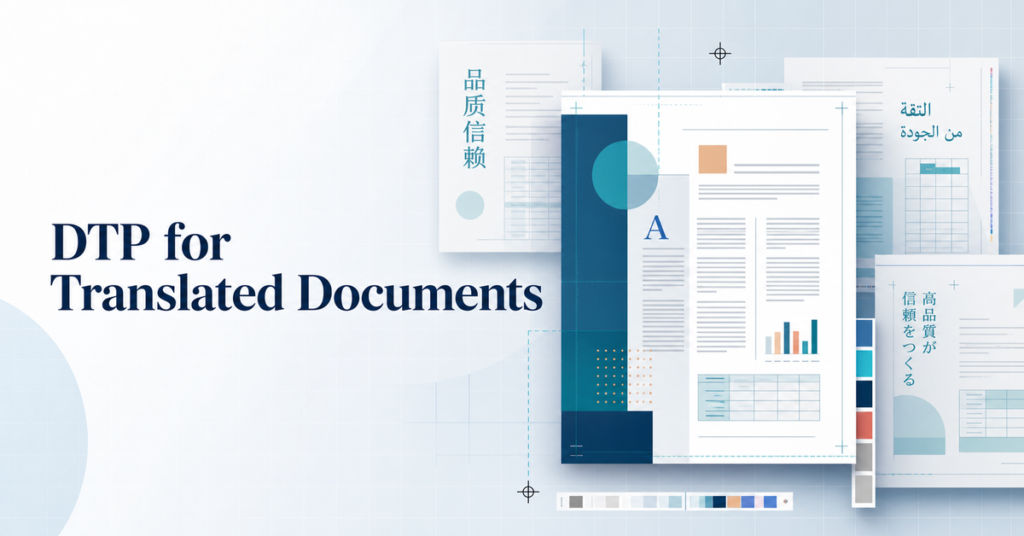
DTP for translated documents becomes difficult when teams expect every language to fit the source layout in the same way. German, Spanish, and French often expand relative to English. Chinese and Japanese may fit differently but create issues in tables, labels, or vertical spacing. Korean can affect character density and line breaks in narrow callouts. If the design was built with no margin for expansion, every page becomes a negotiation between readability and visual consistency.
Tables and diagrams are especially sensitive. A single translated heading can push a table into a new page, distort column balance, or overlap with graphic elements. Product screenshots, compliance labels, flowcharts, and page footers also create hidden DTP risk because they were often designed for one language length only. Good production teams therefore set language-aware rules for line breaks, minimum white space, table resizing, and when a page should be reflowed instead of force-compressed.
PDF translation projects fail when QA stops at linguistic review
A common mistake is to approve translation quality and assume the document is ready to publish. Linguistic QA and layout QA are different control points. A translated PDF may pass terminology review while still failing on page numbers, image captions, repeated headers, bullet alignment, or cross-reference placement. These are not cosmetic details. They affect usability, especially in manuals, onboarding packs, tenders, and regulated documentation where readers depend on structure to find information quickly.
The final review for DTP for translated documents should check more than spelling. It should confirm visual consistency, page integrity, font rendering, table legibility, hyperlink behavior, and print or export stability. Teams that already run structured review loops in data annotation quality control will recognize the operating principle: quality improves when acceptance criteria are explicit rather than assumed.
A buyer checklist before sending translated files to production
Before approving multilingual DTP delivery, buyers should ask a few operational questions.
- Do we have editable source files for every page and graphic?
- Which target languages are most likely to expand or break the existing layout?
- Are the chosen fonts licensed and technically suitable for every language?
- Which tables, diagrams, screenshots, and callouts need manual adjustment?
- Will QA review both the language and the final page layout?
- Does the final deliverable need web PDF, print PDF, or both?
These questions shift the discussion from simple page count pricing to production readiness. That is where many avoidable delays and rework costs are hidden.
When buyers should rebuild from source instead of patching a PDF
Not every document should be patched in place. If the source PDF is poorly structured, image-based, heavily layered, or built with outdated fonts, rebuilding the layout from source may be safer than trying to preserve every original constraint. The same is true when the translated text will be reused across future versions and markets. A clean source-based workflow usually creates lower long-term cost than repeated rescue work on static PDFs.
Buyers should therefore ask whether the goal is a one-time translated file or a repeatable multilingual production process. If the document family will evolve over time, the answer affects tooling, asset management, terminology control, and review design from the beginning.
How Smart Language Service supports multilingual DTP delivery
Smart Language Service supports DTP for translated documents for manuals, brochures, marketing collateral, training packs, technical PDFs, and other multilingual assets where layout quality affects credibility. We coordinate translation and production planning, assess file editability, manage font compatibility, adapt tables and graphics, and run final QA on both language and layout.
For buyers, the practical goal is simple. The translated document should feel publication-ready, not merely translated. When language accuracy and page design are managed together, the final file is easier to read, easier to trust, and less likely to create downstream correction work.