
Subtitles, captions, and transcripts are different deliverables
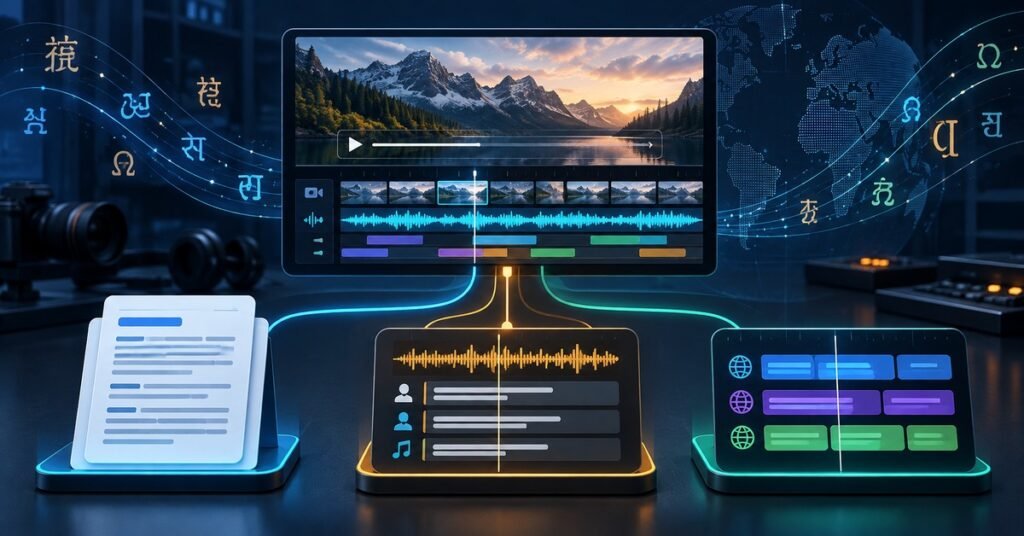
The practical answer to subtitles vs captions vs transcription is simple: a transcript makes the audio readable as a document, captions make the meaningful audio readable while the video plays, and subtitles usually make the spoken dialogue understandable in another language. They may begin with the same source speech, but they solve different business, accessibility, localization, and platform needs.
That distinction matters when buying services. Ordering “English text for this video” does not define whether you need timestamps, speaker labels, sound cues, translated dialogue, on-screen placement, a searchable web page, or files that a learning platform can import. A transcript alone cannot replace synchronized captions. Dialogue-only subtitles do not automatically provide the non-speech information expected from accessibility captions. And a caption file is not always a polished transcript that reads well outside the player.
This guide gives media, training, marketing, and accessibility teams a concrete way to specify the right outputs, avoid paying twice for the same preparation work, and test the files before release.
Definitions: what each service actually delivers
Transcription converts speech and, when requested, relevant non-speech audio into written text. The result may be verbatim, clean-read, summarized, speaker-labeled, time-coded, or formatted as a publication-ready document. A transcript is normally consumed separately from the video, although an interactive transcript can highlight passages and jump to matching moments.
Captions are synchronized text alternatives for the speech and meaningful non-speech audio in a video. They can include speaker identification, music, laughter, alarms, tone, and other sounds needed for comprehension. The W3C explanation of prerecorded captions makes this distinction explicit. Closed captions can be turned on or off; open captions are burned into the picture and cannot be disabled.
Subtitles are synchronized text that primarily represents dialogue, commonly as a translation for viewers who can hear the program but do not understand its spoken language. Industry terminology varies by market: some regions use “subtitles” for same-language accessibility text, and platforms may label every selectable timed-text track as subtitles. Buyers should therefore define the required content, not rely on the label alone.
SDH—subtitles for Deaf and hard-of-hearing audiences—combines translated or same-language dialogue with speaker labels and relevant sound cues. It is useful when a localized release must carry accessibility information, but the exact format, reading rules, and platform label still need to be specified.
Comparison table for buyers
| Deliverable | Primary job | Timing | Typical content | Typical output |
|---|---|---|---|---|
| Transcript | Read, search, review, archive | None or periodic timestamps | Speech; optional speakers, sounds, and visuals | DOCX, TXT, HTML |
| Captions | Accessible playback in the audio language | Cue-level synchronization | Dialogue, speakers, meaningful sounds | VTT, SRT, TTML/IMSC, embedded track |
| Subtitles | Cross-language understanding | Cue-level synchronization | Translated dialogue; selected on-screen text | VTT, SRT, TTML/IMSC, platform format |
One source video may need all three. A training team might publish a clean transcript below the lesson for search and review, an English caption track for accessibility, and translated subtitle or SDH tracks for each target market. The efficient workflow shares the approved source transcription and timing data, while treating each final deliverable as a separate QA target.
Accessibility: decide the requirement before translation
Accessibility is not a synonym for “text is present.” For prerecorded synchronized media, WCAG 2.2 Success Criterion 1.2.2 requires captions at Level A, subject to the criterion’s stated exception. W3C defines captions as synchronized alternatives for both speech and the non-speech audio needed to understand the content. A dialogue-only transcript placed below the player does not meet the same use case because it is not synchronized, and dialogue-only subtitles may omit speaker or sound information.
Transcripts serve additional needs. W3C’s transcript guidance explains that a basic transcript includes speech and necessary non-speech audio, while a descriptive transcript also includes important visual information. Transcripts help people who prefer reading, need more time, use text search, or access content through different assistive workflows. For prerecorded video with audio, captions and transcripts have different WCAG roles; do not promise compliance based only on having one text file.
Legal obligations depend on jurisdiction, organization, sector, distribution channel, and the origin of the program. For example, U.S. FCC internet-captioning rules have a defined scope tied to certain video programming shown on television with captions; they are not a universal rule for every web video. Ask the responsible accessibility or legal owner which standard and policy apply, then put that requirement in the service brief.
Quality also requires more than accurate words. The FCC caption-quality framework identifies accuracy, synchronicity, completeness, and placement as core factors. Those are useful procurement categories even when an FCC rule does not govern the project. A correct cue that appears late, disappears too quickly, is cut off, or covers a critical product control can still fail the viewer.
Build localization from an approved source track
A reliable multilingual workflow starts with media preparation. Lock the source-video version and record its frame rate, duration, audio configuration, and any edit decision list. Collect scripts, names, terminology, pronunciation notes, brand rules, and on-screen text. If the video may still be edited, agree how changes will be identified and priced; even a short insert can shift every downstream cue.
Next, create and review the source-language transcript. Resolve unclear speech, names, numbers, acronyms, and speaker identities before translation. Then create a timed source caption template with sensible cue boundaries, reading time, line breaks, speaker changes, and sound cues. This template can support translation, but it should not become an inflexible mold: translated text expands or contracts, grammar moves information, and a readable break in English may be awkward in Japanese, Korean, Chinese, or Spanish.
Translate for the viewing context rather than sentence by sentence. Preserve meaning, tone, terminology, and calls to action while controlling density. Adapt idioms, measurements, forms of address, and cultural references only within the approved localization brief. Translate relevant on-screen text and decide whether it will be subtitled, graphically replaced, or listed in a separate asset. When speech overlaps with an important title card, cue placement may need to move.
Finally, review every language in the actual video. A bilingual text review cannot detect all timing, clipping, collision, font, encoding, or scene-change problems. Our guides to subtitle translation and cultural adaptation and multilingual subtitle QA provide deeper localization and review checklists.
File formats: choose for the destination platform
Do not ask only for “an SRT.” Ask where the file will be imported, what features must survive, and whether a master archive is required.
- TXT, DOCX, or structured HTML works for a readable transcript. Include speaker names and periodic timestamps when users need navigation or evidence.
- SRT is widely exchanged and simple, but its feature set is limited and platform behavior varies. It is often suitable for basic subtitle delivery.
- WebVTT (.vtt) is designed for time-aligned text on the web. The W3C WebVTT specification covers captions, subtitles, descriptions, chapters, and metadata associated with media.
- TTML or IMSC supports richer timed-text structures used in professional, broadcast, and streaming workflows. A buyer must name the required profile rather than say only “TTML.”
- Platform-specific files or templates may be required by a broadcaster, streaming service, LMS, social platform, or editing system. Validate a sample import before producing the full language set.
- Burned-in/open captions are pixels in the video, not a switchable text file. They are useful where the player cannot expose a track, but they cannot be turned off, restyled by the user, searched as easily, or reused without a new render.
Keep the editable master, language code, source version, frame-rate assumption, and delivery version in the file manifest. A filename such as `module03_es-ES_sdh_v2.vtt` communicates more than `final_subtitles2.srt`. Preserve UTF-8 or the required encoding and test non-Latin scripts, punctuation, directionality, and fonts in the destination system.
Specify timing, speaker labels, sound cues, and layout
Give the vendor measurable rules. Define whether timestamps use clock time, media time, or frame-based timecodes. State minimum and maximum cue duration, maximum lines, characters or cells per line, preferred reading-speed method, shot-change behavior, overlap rules, and how to handle rapid dialogue. There is no single universal number for every language and platform; the destination specification should control.
For captions or SDH, define speaker identification when the speaker is not visually obvious, and include relevant sound information without narrating every audible event. Describe music only when its presence, mood, lyrics, or source matters to understanding. Keep labels consistent and avoid relying on color alone. For localized subtitles, decide whether speaker names, titles, on-screen graphics, and foreign-language dialogue are included in the same file or separate tracks.
Placement should protect faces, demonstrations, safety warnings, charts, buttons, and lower-third graphics. If the platform supports position metadata, test it. If it does not, safe-area assumptions and alternative cue wording may be needed. Review on small screens as well as the production monitor.
A buyer decision tree
Start with the way the audience will use the content:
- Need a searchable, reviewable, or downloadable text document? Order a transcript. Add speaker labels, periodic timestamps, and visual descriptions when required.
- Need access to the original-language audio while the video plays? Order same-language captions with meaningful sound cues and speaker identification.
- Need viewers to understand speech in another language? Order translated subtitles; order localized SDH when the target audience also needs accessibility information.
- Need both accessibility and international reach? Create an approved source caption template, then produce target-language SDH or the combination of caption and subtitle tracks required by the platform.
- Need content for search, compliance records, localization, and playback? Order a package: source transcript, timed source captions, translated tracks, and a manifest linking every file to the correct video version.
- Need live delivery? Treat it as a separate workflow. Live captioning and live interpreting have latency, correction, staffing, platform, and contingency requirements that prerecorded production does not.
If the answer is uncertain, test one representative video. Include multiple speakers, music, on-screen text, numbers, fast sections, accents, and a scene with lower-third graphics. A simple talking-head clip may not expose the risks in the full library.
Compare quotes by accepted deliverables
Two proposals can use the same word “captioning” and include different work. Ask each provider to price source review, transcription, timecoding, caption or subtitle creation, translation, bilingual review, in-video QA, file conversion, platform upload, change rounds, and final corrections separately. Confirm whether automated speech recognition or machine translation is used and what human review follows it.
Define acceptance evidence: language and file inventory, validation results, reviewer checklist, issue log, corrected files, and the exact source-video checksum or version. Sample complete cues across the beginning, middle, and end; review difficult sections rather than only the first minute. For transcription intended as AI training data, requirements can differ substantially; our guide to transcription services for AI training data explains timestamps, speaker labels, and annotation choices for that use case.
Before approval, check:
- every required language and deliverable is present and named consistently;
- the text matches the correct media version and starts from time zero as specified;
- speech, names, numbers, and terminology are accurate;
- captions include necessary speaker and sound information;
- translations preserve meaning and remain readable at playback speed;
- cue timing, line breaks, placement, and scene transitions work in the target player;
- encoding, language tags, import, display, and track selection work on supported devices;
- the transcript is readable as a document rather than a raw dump of cue fragments;
- corrections have been applied to every affected language and derivative file.
The right choice is often not subtitles or captions or transcription, but a deliberately scoped combination. Send Smart Language Service one source video and the target platforms, languages, accessibility policy, and intended uses. We can confirm the transcript, caption, subtitle, SDH, format, and QA deliverables before the full library is quoted.